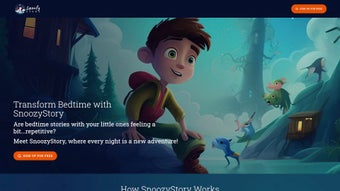

Download SnoozyStory – AI‑Powered Bedtime Story Creator for Kids
Why SnoozyStory Is Changing the Way Families Tell Bedtime Stories
SnoozyStory is an innovative AI writing assistant that turns ordinary bedtime routines into magical storytelling adventures. Designed specifically for parents who want to spark imagination while keeping the experience personal, SnoozyStory lets you generate custom stories that weave your child’s name, age, and favorite interests directly into the narrative. Whether you’re looking for a gentle self‑discovery tale, a science‑filled expedition, or a whimsical fantasy quest, the platform offers a rotating library of themes that keep each night fresh and engaging.
The web‑based interface works on any modern browser, so you can craft a story from your laptop, tablet, or smartphone without installing bulky software. A free tier grants three personalized stories per month, while premium subscriptions unlock unlimited story generation, audio narration, and a growing digital library of exclusive content. By blending AI convenience with heartfelt customization, SnoozyStory helps families create memorable bedtime moments that nurture curiosity, creativity, and a love of reading.
Key Features That Make SnoozyStory a Must‑Have Parenting Tool
- Personalized Story Engine: Input your child’s name, age, and interests; the AI tailors every plot point and character to match.
- Multiple Themes & Genres: Choose from self‑discovery, science, fantasy, adventure, moral lessons, and seasonal specials.
- Audio Narration: Premium users receive professional voice‑over versions that can be played directly from the browser.
- Digital Library: A growing collection of exclusive stories that are automatically added for subscribers.
- One‑Click Sharing: Export stories as PDFs or share a secure link with grandparents, relatives, or teachers.
- Cross‑Platform Access: Works on Windows, macOS, Android, iOS, and any device with a modern web browser.
- Secure & Private: No personal data is stored beyond the story session; GDPR‑compliant encryption protects your family’s information.
- Free Starter Pack: Three fully personalized stories each month let you test the service before upgrading.
These features are not just a checklist—they’re the backbone of a tool that empowers parents to become storytellers without the pressure of crafting every detail from scratch. The AI learns from the inputs you provide, ensuring that the language level matches your child’s age and that the story’s moral aligns with the values you want to reinforce. For families that travel or have limited bedtime resources, the audio narration feature transforms a simple story into a hands‑free experience, allowing parents to focus on cuddles while the app delivers a soothing voice. The digital library continuously expands, meaning the content never becomes stale; new chapters, seasonal specials, and culturally diverse tales are added monthly, keeping the bedtime ritual exciting for both kids and adults.
How to Get Started: Installation, Usage Steps, and Compatibility
Simple Web‑Based Setup – No Downloads Required
Getting SnoozyStory up and running is as easy as opening a browser tab. Visit www.snoozystory.com, click the “Sign Up” button, and create a free account using an email address or social login. The registration process takes less than a minute, and you’ll be greeted by a clean dashboard that guides you through the story‑creation workflow.
Step‑by‑Step Story Creation
- Select a Theme: Browse the thumbnail gallery and pick a genre that matches your child’s mood for the night.
- Enter Personal Details: Type in your child’s name, age, and a few favorite topics (e.g., dinosaurs, space rockets, mermaids).
- Adjust Length & Tone: Choose “short bedtime” (5‑7 minutes) or “extended adventure” (10‑12 minutes) and set the tone—gentle, exciting, or educational.
- Generate & Review: Click “Create Story.” The AI produces a draft in seconds. You can edit any sentence, add a personal note, or regenerate the whole story if you want a different twist.
- Listen or Download: Premium users can press “Play Narration” for an audio version, or click “Download PDF” to save a printable copy for later.
Device Compatibility (itemprop="operatingSystem")
SnoozyStory is built on responsive web technology, ensuring smooth performance on:
- Windows 10, 11 (Chrome, Edge, Firefox)
- macOS Monterey, Ventura (Safari, Chrome)
- Android 8.0+ (Chrome, Firefox)
- iOS 13+ (Safari, Chrome)
The platform automatically adjusts its layout to fit desktop monitors, tablets, and smartphones, so you can generate stories from the kitchen table, the living‑room couch, or even while on a road trip. Because everything runs in the cloud, there’s no need for periodic updates; improvements and new content are pushed instantly to every user.
Pros & Cons, Frequently Asked Questions, and Expert Review
Pros
- Highly personalized stories boost child engagement.
- Free tier provides a risk‑free trial with three stories per month.
- Audio narration adds a hands‑free bedtime option.
- Cross‑platform accessibility—no installations needed.
- Regular content updates keep the library fresh.
Cons
- Premium subscription required for unlimited stories and audio.
- Internet connection needed for story generation.
- Customization limited to predefined fields (no custom illustrations).
Frequently Asked Questions
Can I use SnoozyStory without an internet connection?
No. The AI engine runs on cloud servers, so an active internet connection is required to generate and retrieve stories.
How safe is my child’s personal information?
SnoozyStory follows GDPR‑compliant encryption standards. Personal data is only stored for the duration of the session and is never sold to third parties.
What devices can I use to listen to the narrated stories?
Any device with a web browser that supports audio playback—phones, tablets, laptops, or smart speakers—can stream the narration.
Is there a family plan for multiple children?
Yes. The premium subscription includes a “Family Hub” feature that lets you store profiles for up to five children, each with separate story histories.
Can I export stories for offline reading?
Premium members can download stories as PDF files, which can be printed or saved for offline access.
Expert Review (itemprop="review")
SnoozyStory delivers a delightful blend of AI convenience and personal touch, making bedtime storytelling both effortless and meaningful. The free tier is generous enough to test the concept, while the premium plan adds genuine value through unlimited stories and high‑quality narration. Minor drawbacks—like the need for an internet connection—are outweighed by the platform’s ability to keep children excited about reading. Overall, it’s a solid investment for families seeking to nurture imagination without the time‑consuming pressure of writing from scratch.
- Highly customizable narratives
- Audio narration enhances bedtime routine
- Requires internet access
- Limited illustration options
Final Thoughts and How to Get SnoozyStory Today
If you’re looking for a secure, easy‑to‑use tool that transforms bedtime into an adventure tailored to your child’s unique interests, SnoozyStory is worth a try. The free plan lets you experience three fully personalized stories each month, giving you a clear sense of the AI’s creativity before you decide to upgrade. For families that value unlimited content, audio narration, and a growing library of exclusive tales, the premium subscription is competitively priced and delivers consistent value. Start your free trial now, craft a story that mentions your child’s name, and watch their eyes light up as they drift off into a world you helped create.
Download SnoozyStory today and turn every night into a memorable storytelling experience!



.png)



